
Learn how to read and apply the flatness GD&T symbol with tips on tolerance zones, measurement methods, common mistakes, and inspection tools.
What Is the Flatness Symbol in GD&T?
In GD&T (Geometric Dimensioning and Tolerancing), the flatness symbol is a small circle with a horizontal line beneath it: ⌓. This is the official symbol recognized by ASME Y14.5 standards and is also encoded in Unicode, ensuring consistent use across technical documents and CAD software.
On engineering drawings, you’ll find this symbol inside the feature control frame (FCF). The flatness symbol appears right after the leader line that points to the controlled surface or feature. Next to it is the flatness tolerance value, and importantly, flatness never includes a datum reference—because it’s a pure form control, independent of any other features.
For a quick visual comparison:
- Flatness (⌓) controls how “flat” a surface is within two parallel planes.
- Parallelism (⇕) indicates how parallel a surface must be to a datum.
- Perpendicularity (⊥) requires a 90-degree angle relative to a datum.
- Straightness (−) controls the form of a line element, either surface or axis.
Each symbol is distinct, and mixing them up can lead to costly misinterpretations on shop floor inspection or manufacturing processes. Knowing exactly what the flatness symbol is—and how it fits into the feature control frame—is your first step to using GD&T like a pro.
Geometric Characteristic Definition
According to ASME Y14.5-2018, flatness is defined as the condition of a surface where all points lie within two perfectly parallel planes spaced apart by the flatness tolerance. This creates a 3D tolerance zone that limits how much the surface can deviate from an ideal flat plane.
A critical rule to remember: flatness is strictly a form tolerance. That means it only controls the shape of the surface itself and never references any datums. It’s about how “flat” the surface is on its own, without considering orientation or location relative to other features.
This makes flatness unique compared to other GD&T controls that rely on datums to define tolerance zones. The flatness tolerance zone is simply the area between two parallel planes in which the entire surface must fit.
How to Correctly Specify Flatness on a Drawing
Getting your flatness callout right on a drawing is key to clear communication. Here’s a simple step-by-step guide for the feature control frame syntax:
- Start with the flatness symbol (⌓) in the feature control frame—this is your main GD&T flatness symbol.
- Add the tolerance value right after the symbol (e.g., ⌓ 0.05).
- No datum reference goes here since flatness is a form control—it never ties to a datum.
- Do not use modifiers like MMC or LMC because flatness controls pure form without size or location variations.
Common Flatness Callout Examples
- Flat surface: ⌓ 0.02 (This calls out flatness directly for a face.)
- Median plane of a part: Sometimes you’ll see flatness on a derived median plane; the callout stays the same, just make it clear in your notes or specs.
- Derived median plane: Use this when flatness applies to an average surface, especially in thin parts or symmetrical features.
Bonus: Unit Flatness Callouts
You can also specify flatness per unit area for tighter controls, such as:
- 0.05 mm per 100×100 mm — This controls flatness relative to the surface size and is useful on larger parts, like machine bases or panels.
By following these straightforward rules, your flatness specifications will be clear, easy to inspect, and fully compliant with ASME Y14.5-2018 standards.
Flatness vs. Other Form & Orientation Controls
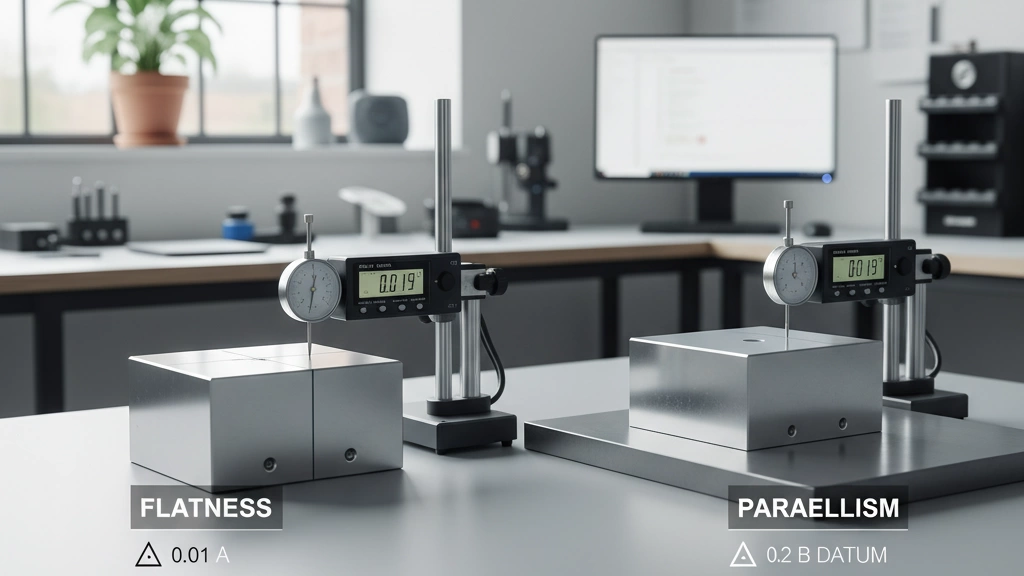
Understanding how flatness compares to other GD&T controls helps avoid common mistakes and ensures you apply the right tolerance.
Flatness vs. Parallelism (The #1 Confusion)
Flatness controls how flat a surface is within two parallel planes. It doesn’t care about the feature’s orientation or relation to any datum. Parallelism, however, controls how parallel a surface or axis is relative to a specific datum. In other words:
- Flatness = flat within a tolerance zone, no reference needed
- Parallelism = flat and oriented parallel to a datum
Mixing these up can lead to incorrect inspections and unnecessary cost.
Flatness vs. Straightness of a Surface
Straightness controls how straight a line element of a surface is, often along a scanning path. Flatness looks at the entire surface area’s uniformity within two flat, parallel planes. So:
- Straightness = 1D control (line element)
- Flatness = 2D control (whole surface)
Use flatness when you care about the overall flat shape, not just a single line.
When to Use Flatness Instead of Profile of a Surface
Profile of a surface controls complex shapes and curvature, including orientation and size, often referencing datums. Flatness is simpler—it’s a pure form tolerance limited to the surface’s flatness without regard to where it sits or its shape complexity. Use flatness when:
- You only need to control flatness, not overall shape or orientation
- You want to avoid overcomplicating the drawing with datums or additional controls
Choosing flatness here keeps specs clear and inspections straightforward.
Real-World Engineering Examples of Flatness GD&T Symbol

Flatness plays a critical role in many real-world applications where precise surface quality is essential. Here are some common examples where flatness tolerances are a must:
- Seal Surfaces (Gasket Seating)Flatness ensures airtight and leak-proof seals by controlling the surface where gaskets sit. Even slight warping can cause leaks in engines, pumps, and valves. Specifying flatness keeps sealing surfaces smooth and reliable.
- Machine Bases and Mounting PadsThe base of a machine or mounting pad needs to be flat to provide stability and accurate alignment. Flatness controls help avoid uneven loads that can cause machine wear or inaccurate machining results over time.
- Optical Reference PlanesIn optics and precision measurement, flatness is vital for reference surfaces. Glass plates or mirrors used for calibration must meet strict flatness standards to avoid errors in optical alignment and inspection.
- Large Welded StructuresFor large assemblies like frames or heavy equipment, flatness helps control distortion after welding. It ensures mating surfaces fit correctly and that structural loads distribute evenly, preventing weak points or misalignments.
These examples show how flatness GD&T symbol isn’t just paperwork—it directly impacts product performance, durability, and quality in everyday U.S. manufacturing and engineering.
How to Measure and Inspect Flatness
Measuring flatness accurately is key to making sure parts fit and function properly. Here’s a quick look at common inspection methods:
Traditional Methods
- Surface Plate + Dial Indicator or Height Gage Sweep
Place the part on a flat surface plate, then use a dial indicator or height gage to sweep across the surface. This helps detect high and low spots by tracking variation in the reading as you move. - Repeatability Tips for Manual Inspection
- Clean both the part and surface plate thoroughly
- Use consistent pressure and speed during the sweep
- Take multiple passes in different directions to catch irregularities
- Record the highest and lowest readings to calculate total flatness variation
Modern Methods
- CMM (Coordinate Measuring Machine)
A CMM scans thousands of points on a surface, creating a 3D map. Flatness is then calculated as the smallest distance between two perfectly parallel planes that contain all points. - Optical Comparators and Laser Scanners
These offer quick, non-contact measurement for flatness and surface form, ideal for delicate parts or complex shapes.
Interpreting CMM Flatness Reports
- Check that the reported flatness value matches your tolerance zone—the smaller the gap between the two parallel planes, the flatter the surface.
- Review the graphical representation of deviations—hot spots and dips show exactly where the surface diverges from flatness.
- Confirm that no datum reference is included in the flatness callout; flatness is a form tolerance that only controls the surface itself.
With these methods, you can confidently inspect flatness and make informed decisions about part quality and functionality.
Most Common Flatness Callout Mistakes (and How to Fix Them)
Flatness callouts might seem straightforward, but there are some common mistakes that can cause confusion or inspection issues. Here’s what to watch out for—and how to fix them:
- Adding unnecessary datum referencesFlatness is a form control and never needs a datum. Including one can confuse the inspector and lead to incorrect measurements. Always leave the datum box empty in the feature control frame for flatness.
- Confusing flatness with parallelismFlatness controls the surface itself, while parallelism controls orientation relative to a datum. Don’t mix the two. If you want the surface to be flat and oriented to another surface, specify both flatness and parallelism separately.
- Over-tolerancing vs. under-tolerancingSetting the flatness tolerance too tight can drive up manufacturing costs unnecessarily. Too loose, and you risk poor fit or function. Balance is key—use realistic tolerances based on the part’s role and inspection capabilities.
- Forgetting to specify “per unit area” when neededFor large surfaces, flatness can be specified per unit area (e.g., 0.05 mm per 100×100 mm) to control surface variation consistently. When applicable, include this to avoid misleading overall flatness specs that don’t match real-world requirements.
Fix these common errors to keep your flatness callouts clear, achievable, and inspection-ready.
Bonus Tolerance & Material Condition Myths
One common myth in GD&T is that flatness can be specified with MMC (Maximum Material Condition) or LMC (Least Material Condition) modifiers. Flatness can NEVER have MMC or LMC modifiers because it’s a pure form tolerance. Unlike other geometric controls that depend on the size or material boundary, flatness only controls the shape of a surface, regardless of its size or position.
Another point often misunderstood is how flatness behaves at free-state variation versus when the part is restrained or assembled. According to Rule #1 of GD&T, the part needs to fit within the flatness tolerance when it’s free (unconstrained). If the surface is restrained—like when a gasket is compressed—the actual measured flatness might differ because the surface can deform under load. This means design engineers must account for how a part’s flatness will perform in-use, not just off the machine.
Key takeaways:
- Flatness tolerances don’t use MMC or LMC because there’s no size variation involved.
- Rule #1 means your flatness tolerance applies to the part’s free state, before assembly stresses change its shape.
- Always consider how restraint or functional use might affect the flatness on real parts.
Understanding these myths can help you avoid costly mistakes in specifying and inspecting flatness on your drawings.
Quick Reference Cheat Sheet (Downloadable PDF)
To make flatness GD&T easy and quick for your team, we’ve created a Vast-branded one-page flatness symbol guide. This cheat sheet sums up everything you need to know about the flatness GD&T symbol, tolerance zones, feature control frame placement, and common mistakes—all in one neat PDF.
What’s Inside the Cheat Sheet?
- Official flatness GD&T symbol (⌓) and its exact spot in the feature control frame
- Clear visual comparisons: flatness vs. parallelism, straightness, and perpendicularity
- Step-by-step flatness callout examples for surfaces and median planes
- Key tips on measurement methods and inspection best practices
- Common flatness callout mistakes and how to fix them fast
- Bonus: Understanding why flatness can never have MMC/LMC modifiers
This quick-reference is designed for engineers, drafters, and quality teams who want to skip the guesswork and get flatness right the first time.
Download the Vast Flatness GD&T Cheat Sheet PDF now – your go-to tool for surface flatness insights tailored for the U.S. manufacturing and engineering market.
 English
  Spanish (Peru)
  German
  Korean
  Spanish (Spain)
  Italian